
Building an AI-assisted Receipt Reader that Doesn't Guess
Reading time: ~ 5 minutes

Have you ever torn through a shoebox of receipts trying to remember when you last replaced a water pump?
On My Steward Registry, that paper trail is proof a story really happened. But typing it all in by hand, off a faded thermal receipt, is the kind of chore that makes people stop documenting halfway through the process. Years of real maintenance history end up as three entries and a drawer full of paper.
This lesson started with a client who came to us excited about what AI extraction could do for an owner staring down a shoebox of receipts. It was a good idea, and new ground for us: a few engineers had played with AI-assisted tools on personal projects, just for fun, but we hadn't shipped anything like this on a client's product before.
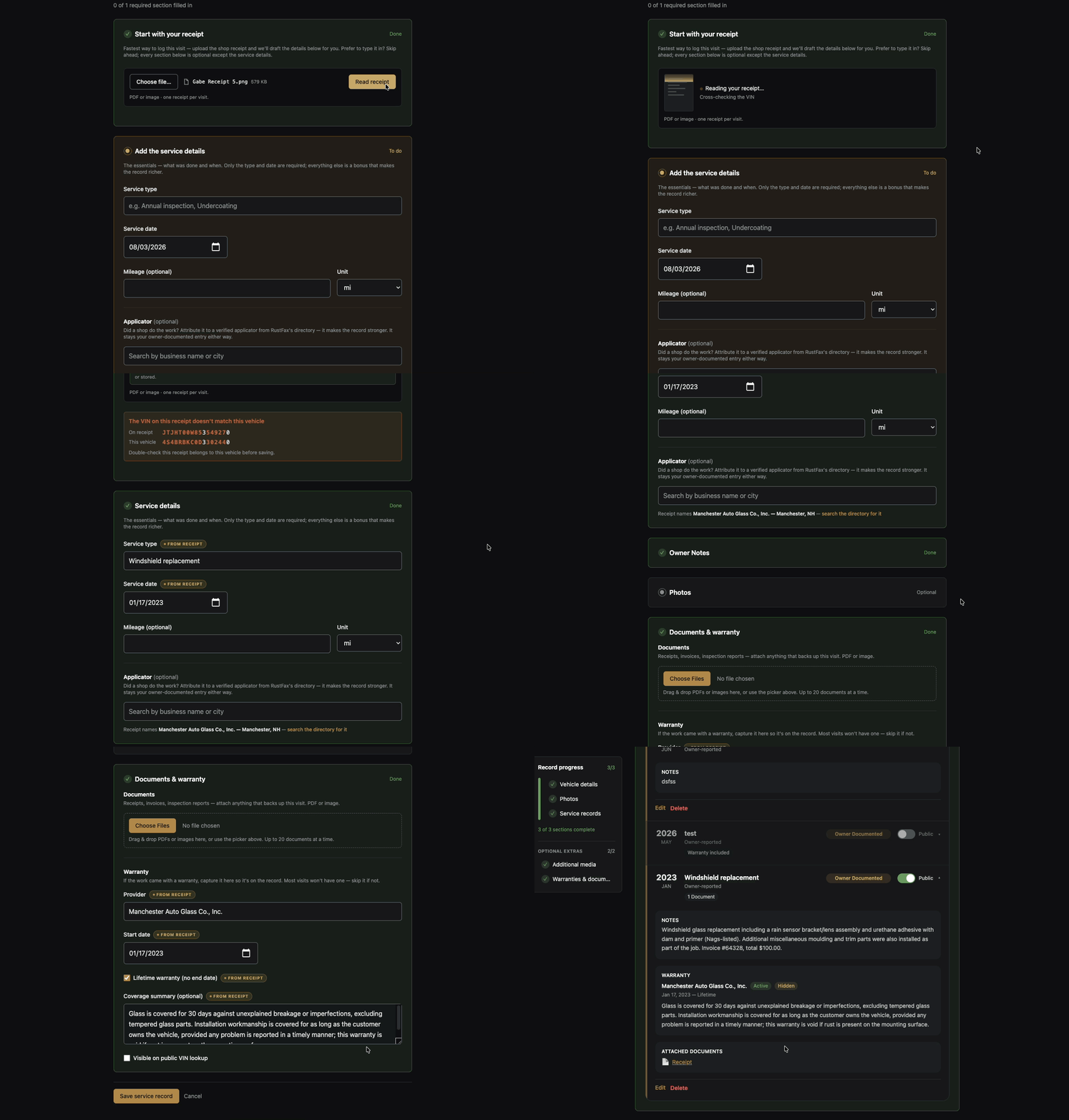
The task is simple to describe: let a vehicle owner upload a photo of a receipt and have the important fields—service date, mileage, vendor, what was actually done—show up already filled in. The harder question, the one that shaped nearly everything we built, was what the AI assistant should do the moment it isn't sure.
Test on the receipts nobody would show you in a demo
Before writing any product code, we ran a real bake-off: four AI models, one messy stack of receipts, scored field by field against what a human had manually verified. The set included a clean PDF, a DMV inspection report, and- the one that mattered most- a dot-matrix invoice with a thermal card slip stapled crookedly on top. Vendor demos always use the clean example. We tested the crooked one.
Decide up front what AI is never allowed to keep
A shop receipt is full of information nobody asked us to collect: the customer's name, home address, phone number, and sometimes the last 4 digits of a credit card number. We wrote the extraction script to read only vehicle and service details and leave everything else alone, then checked every test receipt against that rule before writing any product code. Across every run, nothing personal came through. That was the bar for shipping, not a nice-to-have.
What Shipped
What shipped was intentionally plain. An owner adding a service record could upload a receipt (a photo or a PDF), and the form filled itself in: service type, date, mileage, vendor, a short summary of the work, and warranty terms when the receipt has them. Each one is tagged "from receipt," so it's obvious what the AI filled in and what the owner typed.
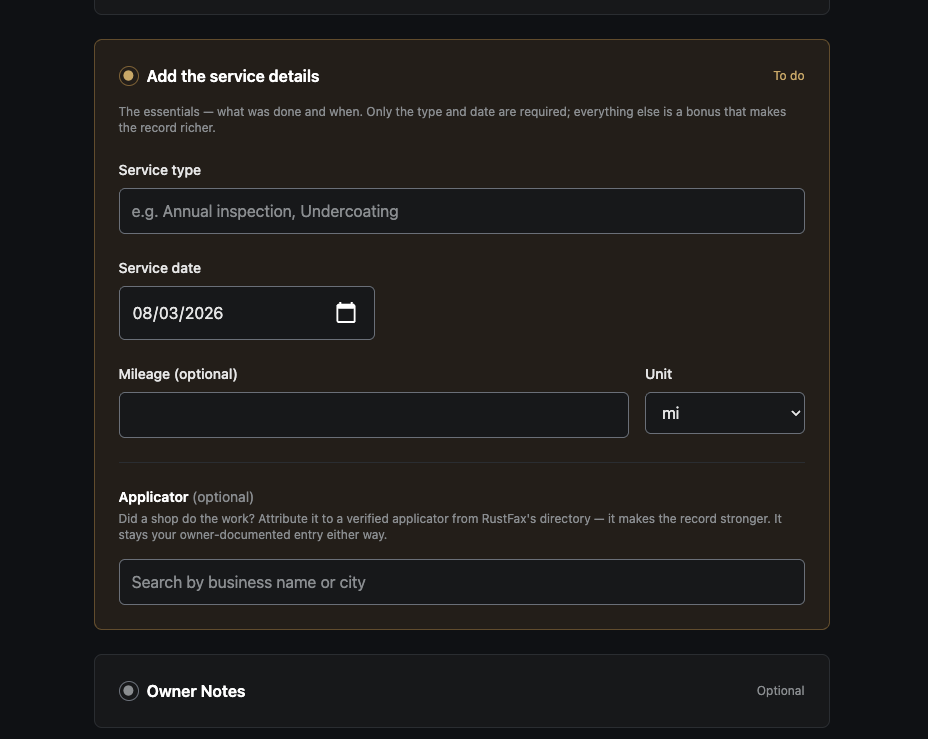
Before: an owner facing a blank form and a paper receipt, ready to start typing.
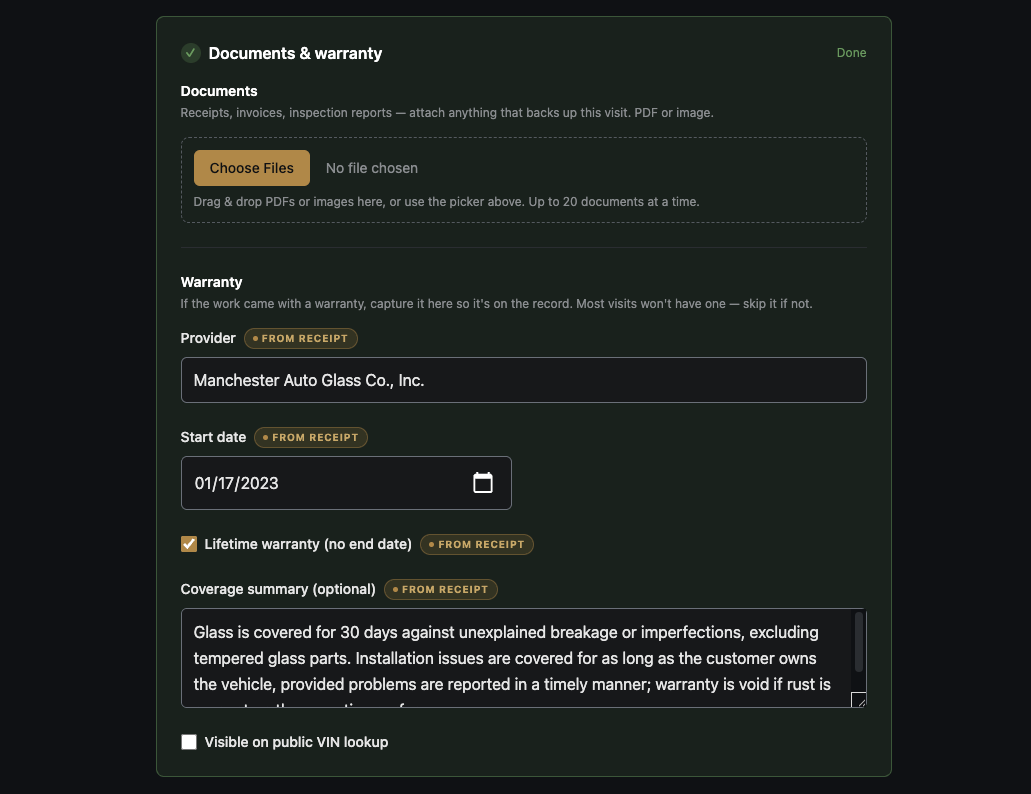
After: the same form seconds after a receipt upload, fields prefilled and marked for review.
One of the test receipts came from a glass shop. The itemized parts were a rain sensor bracket, an adhesive kit, and window moldings—ordinary work for replacing a cracked windshield. But the AI agent didn't stop at the parts. It read the vendor's name and the printed warranty language, decided this was a windshield replacement, and returned that as the service type. The JSON came back perfectly formed. Every field was filled in.
It was also wrong!
That's the failure a schema can't catch on its own. Valid JSON tells you the AI agent answered in the right shape, not that the answer is true. A schema holds a confident guess exactly as well as it holds a fact.
The fix took seven lines, not a rebuild. We added an explicit rule to the extraction prompt:
service_type and work_summary must be supported by work or parts explicitly itemized on the receipt. Never infer the job from the vendor's name, specialty, logo, marketing copy, warranty terms, or legal boilerplate. A glass shop's receipt listing only moldings and adhesive is not evidence of a windshield replacement. When the overall job isn't stated, label and summarize only the itemized parts and work.
Then we re-ran the fix against all six original test receipts to confirm nothing else broke. That last step mattered as much as the fix itself: a folder of real receipts was the closest thing this feature has to a regression suite, and every prompt change was checked against the whole set, not just the receipt that failed.
Two things follow from a lesson like that. 1. Check the AI agent against data you already trust, and 2. Never let it act alone.
Cross-check against data you already own
The same testing turned up a second failure worth planning for: a dot-matrix receipt where the printed VIN got misread into something that still looked like a real VIN, just the wrong one. Rather than trusting it or throwing it out, the server compared the VIN the AI agent read with the one already on file for that vehicle and showed the owner exactly where the two differ, character by character.
// Highlights the characters where the receipt's VIN differs
// from the vehicle's VIN already on file.
renderVinDiff(container, vin, knownVin) {
  Array.from(vin).forEach((char, i) => {
    const node = char === knownVin[i]
      ? document.createTextNode(char)
      : markAsMismatch(char)
    container.appendChild(node)
  })
}
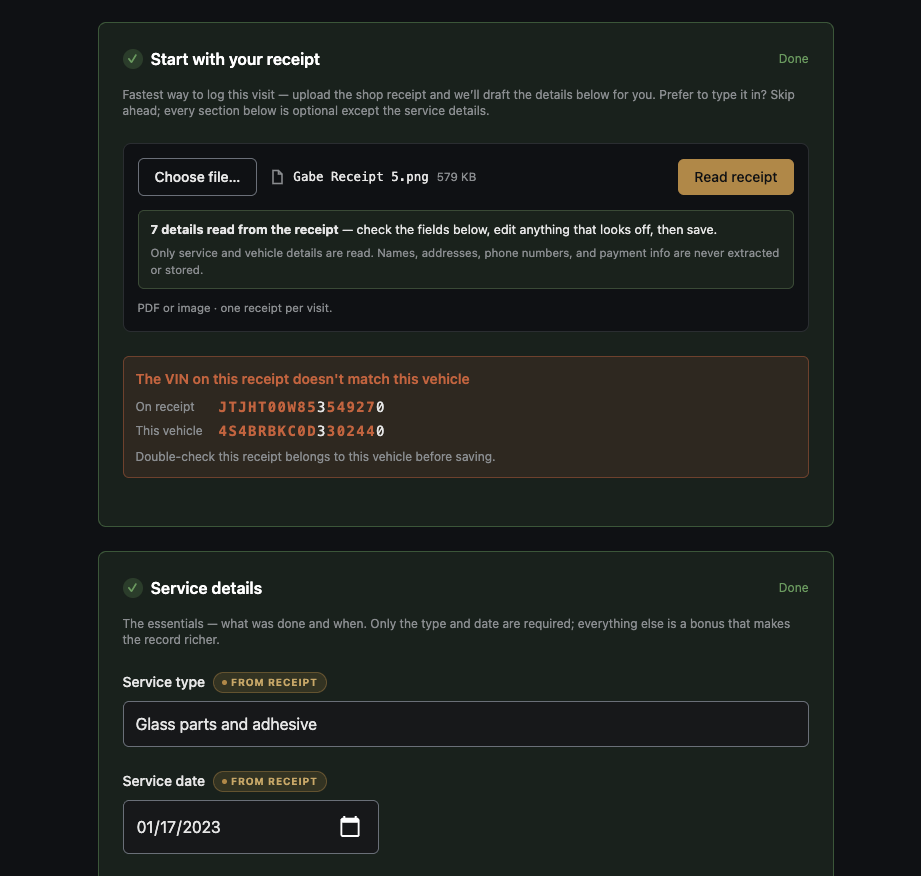
One highlighted character tells an owner instantly whether the AI misread a digit or attached the wrong vehicle's paperwork entirely.
Let the AI tool propose, never decide
AI only filled fields that were still left blank. Edit one yourself and the "from receipt" tag will disappear immediately. Upload a second receipt and only the untouched fields update- anything the owner already corrected- stays exactly as they left it.
// Fills a field only if the owner hasn't already typed something into it.
prefill(input, key, value) {
  if (input.value.trim() !== "") return
  input.value = value
  showFromReceiptTag(input)
}
None of that is a line in a privacy policy. It's the actual shape of the code: the extraction step saves nothing, the receipt file attaches through the same form save as any other upload, and no raw AI transcription is stored anywhere. The owner's keystrokes always win, and the app can always tell which values came from the machine.
Small features that matter
A few smaller decisions round out the feature, and they're the kind that separate shipped software from a demo. Requests run with the AI's extended reasoning turned off — extraction needs speed, not deliberation, so a read finishes in five to eight seconds. There's no automatic retry: if a request times out, the owner just clicks to read the receipt again instead of the server quietly retrying behind the scenes.
The reader is rate-limited per owner rather than per network connection, so a repair shop's shared Wi-Fi can't starve every other customer's uploads. And the real cost lands around two cents a receipt.
Keeping the long-term vision in mind
This is also the first piece of a larger pattern we're building for AI features on My Steward Registry: one shared integration, review-before-save on everything, and a hard rule that anything user-facing gets tested against real, messy input before it ships.
The team behind the platform has a longer vision for where this goes- a broader assistant that eventually understands not just receipts but photos, titles, and the rest of a vehicle's paperwork. We're glad to be building toward that. But the foundation has to be trustworthy first, or nothing built on top of it will hold up.
The boring stuff earns trust
Any of the four models we tested could read a receipt well enough. That was never the hard part. The real work was the seven-line rule that came out of one glass shop's invoice, the cross-check that catches a wrong VIN before it becomes a wrong record, and an interface that never lets the AI save anything on its own.
Adding AI to an application that already has years of real data is different than starting fresh with it. The history has to survive the feature. If you're building on top of years of real records, we should talk.